
Affiliate disclosure: This article contains affiliate links. If you sign up through one of our links, we may earn a commission at no extra cost to you. This does not affect our recommendations.
Quick verdict
Make.com is one of the strongest automation platforms I’ve tested for people who want to connect business apps, eliminate repetitive work, and gradually introduce AI into their workflows without becoming software developers.
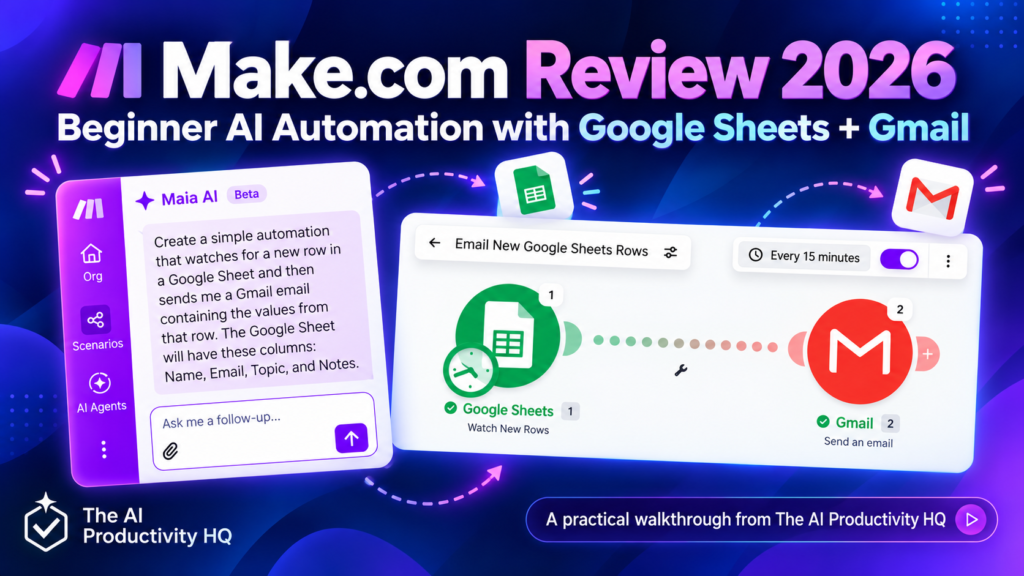
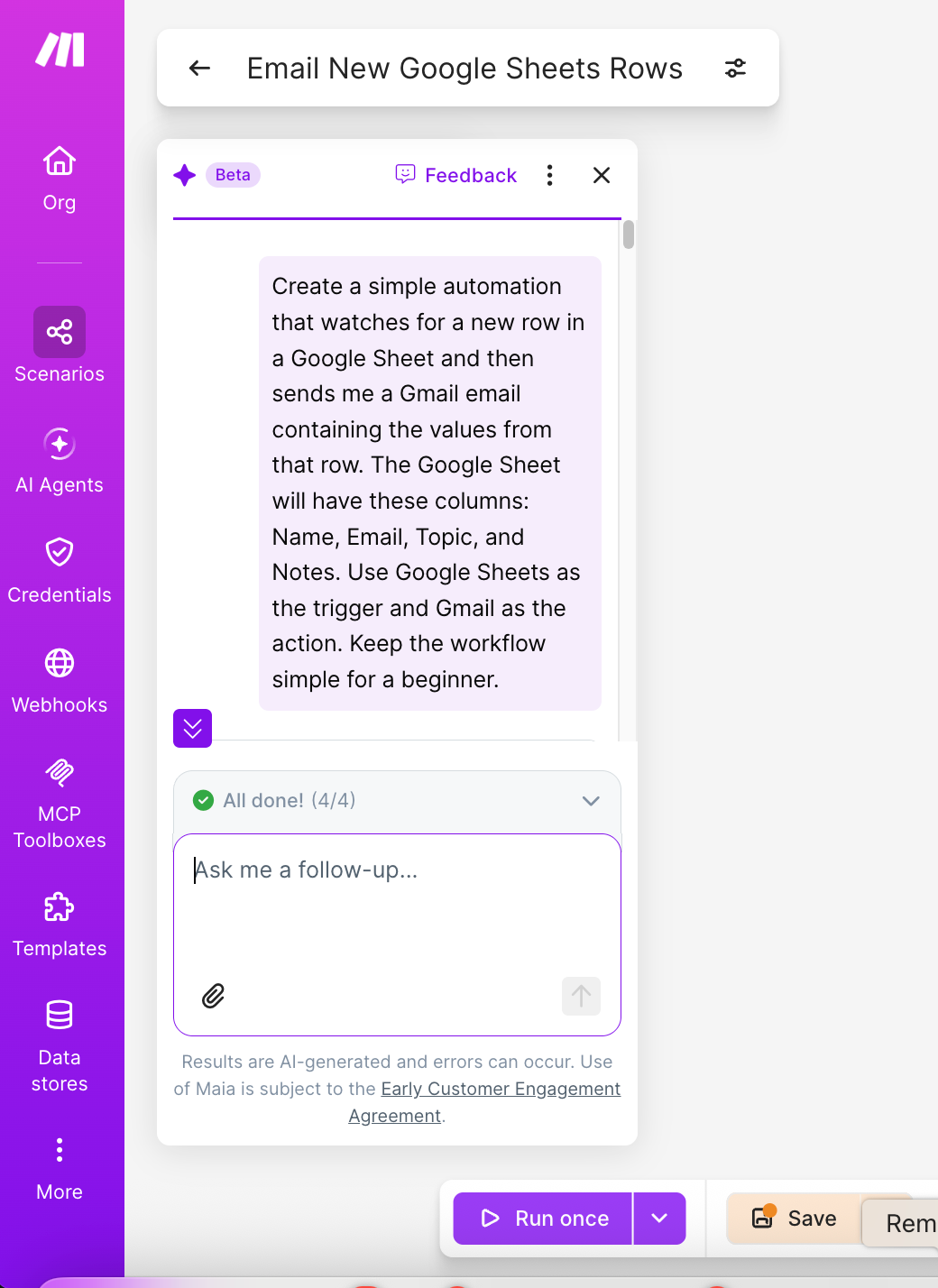
For this Make.com review 2026, I created a simple real-world automation using Make’s AI-assisted scenario builder. I described the workflow in plain English: watch for a new row in Google Sheets and send an email through Gmail containing information from that row.
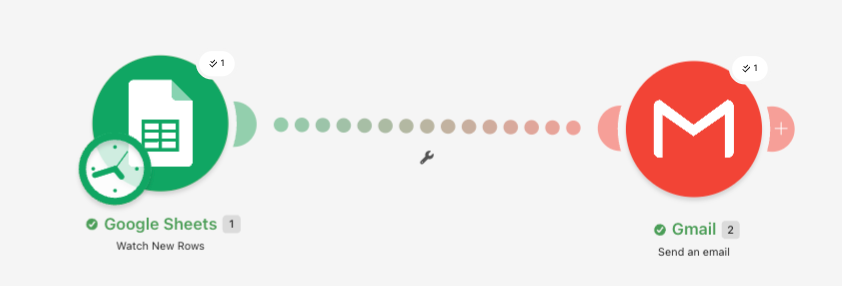
Make correctly proposed a simple two-step workflow: Google Sheets → Watch New Rows → Gmail → Send an Email. After connecting the accounts and configuring the fields, the test ran successfully and the email arrived.
The experience also highlighted Make’s main trade-off: the visual interface is powerful, but beginners still need to understand triggers, data mapping, connections, and how scenarios start processing data.
My conclusion: Make is an excellent choice for small businesses and serious individual users who want more control than basic “if this, then that” automation without needing to code everything themselves.
What is Make.com?
Make is a visual automation platform that lets you connect applications and create workflows called scenarios.
A scenario can be as simple as New form submission → Send an email, or considerably more sophisticated: New lead → AI analyzes enquiry → qualify lead → update CRM → draft personalized response → notify sales team.
Make currently supports more than 3,000 apps, and its Free plan includes the visual workflow builder, routers, filters and up to 1,000 credits per month. See Make’s plan details.
The visual approach is one of Make’s biggest strengths. Instead of hiding an automation behind a list of steps, Make shows the workflow on a canvas so you can see how information moves from one application to another.
Our hands-on Make test
Rather than writing this review solely from feature lists, I wanted to see what a first-time practical automation actually feels like.
I asked Make’s AI-assisted builder to create this: Watch for a new row in a Google Sheet and send a Gmail email containing the information from that row.
The spreadsheet contained four columns: Name | Email | Topic | Notes. Make interpreted the request correctly and suggested a beginner-friendly scenario without unnecessary routers or extra modules.
The workflow Make created
Step 1: Google Sheets — Watch New Rows. This monitors the spreadsheet for rows that should be processed.
Step 2: Gmail — Send an Email. The values from the spreadsheet row are passed into an email.
After configuring the Google connection, spreadsheet, Gmail account and starting point, I ran the scenario. Result: the automation completed successfully and the test email arrived.
What this test revealed
The AI-assisted builder did a surprisingly good job of turning a plain-English request into the right scenario structure. But it did not eliminate setup entirely.
I still needed to:
- connect Google Sheets
- select the correct spreadsheet
- configure where row processing should begin
- connect Gmail
- map the data
- test the scenario
That distinction matters. Make can dramatically reduce the work required to design an automation, but users still need to understand what their workflow is supposed to do. That is actually a positive for business use: you retain control instead of handing everything to an opaque AI agent.
What can you automate with Make?
Make is useful whenever information moves repeatedly between applications. Small-business examples include:
- Lead management: Website enquiry → CRM → sales notification.
- Content workflows: Content idea → AI draft → review queue → publishing database.
- Reporting: Sales data → spreadsheet → AI summary → weekly management email.
- Customer support: Support request → AI classification → assign correct team.
- Marketing: New subscriber → audience database → campaign or welcome workflow.
- Operations: Form submission → approval → document creation → notification.
The biggest opportunity is not automating everything. It is finding tasks that employees or business owners repeat every week and removing unnecessary manual handling.
For ideas on organizing your tools before automating them, read 4 Tools to Simplify Your Side-Hustle Workflow.
Make AI Agents in 2026
Make has moved beyond traditional rule-based automation. Its next-generation Make AI Agents, launched in February 2026, allow AI-driven decisions to operate within the same visual canvas as regular scenarios. Make says agents can work across its ecosystem of more than 3,000 applications. Read Make’s announcement.
A normal automation follows predefined logic: If X happens → do Y. An AI agent can interpret information and decide what should happen next.
For example, a normal workflow could send every incoming sales enquiry to the same mailbox. An agent could potentially analyze the enquiry, identify its intent, determine priority, select the appropriate team and create a tailored response.
For businesses, I would still use traditional automation wherever the rules are predictable and reserve AI agents for steps that genuinely require interpretation or decision-making.
Make.com pricing in 2026
As checked on October 7, 2026, Make lists the following USD monthly pricing for the 10,000-credit level. Pricing can change; check the current plan page before subscribing.
| Plan | Monthly price (USD) | Included usage |
|---|---|---|
| Free | $0 | Up to 1,000 credits/month |
| Core | $12/month | 10,000 credits/month |
| Pro | $21/month | 10,000 credits/month |
| Teams | $38/month | 10,000 credits/month |
| Enterprise | Custom | Custom |
The Free plan has no time limit and includes more than 3,000 apps, routers and filters, although scheduled scenarios have a minimum 15-minute interval. Core adds unlimited active scenarios, one-minute scheduling and API access. Source: Make pricing.
For someone learning automation, I would start with Free. Upgrade only when actual workflows require additional credits, shorter schedules or paid-plan features.
Understanding Make credits
Make now uses credits as its billing unit rather than the older “operations” terminology. Operations still describe module activity; credits track usage costs.
For most ordinary non-AI modules, one operation consumes one credit. AI-related features can behave differently because usage can depend on tokens, operations and the type of AI connection being used. Source: Make Help Center.
This means you should think about automation efficiency. A workflow with two modules running 50 times does not consume the same resources as a workflow with ten modules running 50 times. For small businesses, I recommend building the simplest reliable scenario first and only adding additional modules when they create real value.
What I like about Make
1. The visual workflow builder
Seeing the entire process on a canvas makes complex automation easier to understand.
2. AI helps with the initial build
In our test, describing the desired outcome in plain English produced the correct Google Sheets → Gmail workflow structure.
3. Plenty of room to grow
You can start with simple two-module scenarios and later add routers, filters, APIs, AI models and agents.
4. Strong free plan for learning
1,000 monthly credits gives you room to experiment with small automations before paying. The amount of usage depends on how often they run and which modules they use.
5. AI and traditional automation live together
This is increasingly important. Businesses don’t need every workflow to become an AI agent. Make lets deterministic automation and AI decision-making operate within the same environment.
Where Make falls short
There is a learning curve
The visual interface is approachable, but terms such as triggers, bundles, mapping, filters and starting points still need to be understood. We experienced this ourselves when configuring the Google Sheets trigger.
Debugging can initially feel technical
When a workflow fails, you need to determine which module caused the failure and why.
Credit usage needs monitoring
Complex scenarios and AI-heavy workflows can consume more resources than expected, particularly when token-based AI processing is involved.
It can be overkill for extremely simple tasks
If all you need is one basic connection between two applications, a simpler automation tool may require less learning.
Make vs Zapier
Zapier remains one of Make’s biggest alternatives. Zapier advertises more than 9,000 integrations, compared with Make’s 3,000+ app ecosystem. Zapier’s Free plan includes 100 tasks per month, while Professional is advertised as starting at $19.99/month. Billing term and task tier affect the final price. Zapier integrations; Zapier pricing.
Choose Make if: you value visual workflows, want sophisticated multi-step automation, expect to use AI and want greater control over workflow logic.
Consider Zapier if: your priority is very broad app coverage and you prefer a more step-by-step automation experience.
Neither platform is automatically better for everyone. For The AI Productivity HQ’s own automation strategy, Make is the platform I would start with because its visual workflow model fits the kind of AI-powered business automation we intend to build.
Who should use Make?
Make is particularly suitable for:
- small-business owners
- freelancers
- marketers
- operations teams
- content creators
- consultants
- AI enthusiasts
- anyone repeatedly moving information between applications
You do not need to be a developer. However, the people who get the most value from Make are willing to spend some time understanding how their business processes actually work. Automation works best when the underlying process is clear.
If you’re fitting this around a day job, our 20-minute evening routine using Notion AI and ChatGPT offers a practical starting point for organizing the work you may later automate.
Who should skip Make?
Make may not be the best starting point if:
- you only need one extremely basic automation
- you have no interest in learning workflow logic
- your required application isn’t supported
- your process changes so frequently that automation would create more maintenance than it saves
Automation should reduce work, not create another system you constantly need to repair.
Final verdict: Is Make worth it in 2026?
Yes — especially for users who want to move beyond basic automation and begin building an AI-enabled business.
Our first hands-on test was small, but useful: Make’s AI builder correctly transformed a plain-English request into a functioning Google Sheets → Gmail workflow, and after configuration the automation ran successfully.
The strongest reason to consider Make is not any single feature. It is the progression the platform allows: Manual work → simple automation → advanced workflows → AI-assisted automation → AI agents.
You can start for free and increase complexity only as your business actually requires it. For small businesses trying to automate repetitive operations without building custom software, that makes Make one of the most compelling tools to consider in 2026.
Frequently asked questions
Is Make.com free?
Yes. Make currently offers a permanent Free plan with up to 1,000 credits per month and access to its visual automation builder.
Do I need coding skills to use Make?
No. Many scenarios can be built visually without code. More advanced users can still use APIs and other technical capabilities.
Can Make use AI?
Yes. Make supports AI integrations and its own AI capabilities, including Make AI Agents and AI Toolkit functionality.
Is Make better than Zapier?
It depends on the workflow. Make gives users a very visual approach to complex automation, while Zapier currently supports a larger advertised app ecosystem.
Is Make suitable for small businesses?
Yes. Small businesses can start with simple workflows and scale them as repetitive processes become clear.